 English
 简体中文
简体中文
 العربيّة

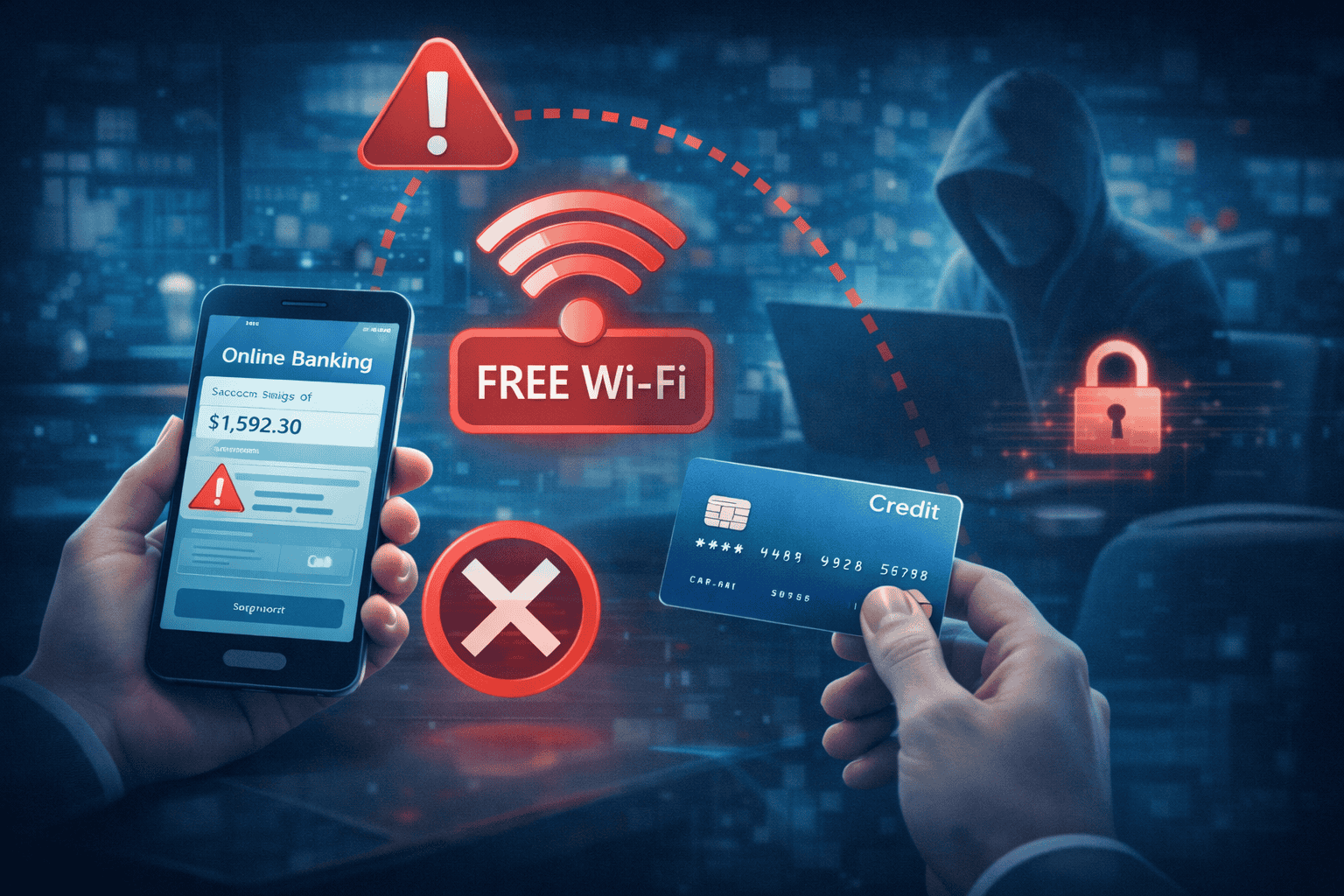
We've all been there. You're waiting at the airport, sipping coffee at your favorite café, or killing time at the mall when you remember you need to check your bank balance or pay a bill. The free Wi-Fi is right there, so why not take care of it quickly?
Here's why: that innocent-looking public Wi-Fi network could be the perfect hunting ground for cybercriminals looking to steal your financial information.
Let me walk you through what makes public Wi-Fi so dangerous for banking, the mistakes that could cost you thousands, and practical ways to protect yourself without making life complicated.
Understanding Public Wi-Fi: Convenience Meets Vulnerability
Public Wi-Fi networks are everywhere now—coffee shops, airports, hotels, libraries, and even buses offer free internet access. Unlike your password-protected home network, these public connections are designed for easy access, which unfortunately means they're also easy targets for hackers.
The fundamental problem is simple: most public Wi-Fi networks lack the security features that keep your data private. When you connect to these networks, you're essentially sharing a digital space with strangers, and some of those strangers might have bad intentions.
Why Hackers Love Public Wi-Fi
Think of public Wi-Fi as a crowded room where everyone can hear everyone else's conversations. Cybercriminals target these networks because:
- Unencrypted data travels in plain sight – Without proper encryption, your information flows through the network like an open book
- They can position themselves between you and the internet – Using specialized tools, hackers intercept communications before they reach their destination
- Creating fake networks is surprisingly easy – That "Free Coffee Shop WiFi" network? It might actually be a trap set by someone sitting nearby with a laptop
- Shared connections mean shared vulnerabilities – When dozens of people connect to the same network, one weak point can compromise everyone
The Real Threats You're Facing
Before we talk about what to avoid, let's look at the specific attack methods criminals use on public networks. Understanding these threats helps explain why certain actions are so risky.
Man-in-the-Middle Attacks: The Digital Eavesdropper
This is the most common attack on public Wi-Fi. Hackers position themselves between your device and the websites you're visiting, secretly copying everything that passes through—usernames, passwords, account numbers, you name it.
The scary part? You won't notice anything unusual. Your banking website loads normally, your transactions go through, and you have no idea someone just captured your login credentials.
Evil Twin Networks: The Imposter Threat
Here's a clever trick criminals use: they create a Wi-Fi network with a legitimate-sounding name like "Starbucks_Free_WiFi" or "Airport_Guest_Network." When you connect, thinking it's the official network, they control everything you do online.
These fake networks look identical to the real thing. There's no warning, no notification—just a direct pipeline for criminals to watch your every move.
Malware Distribution: The Silent Infection
Some public networks have been compromised to automatically install malware on connected devices. This malicious software can:
- Record everything you type (keyloggers)
- Take screenshots of your banking sessions
- Remain hidden on your device for months
- Send your financial data to criminals automatically
Session Hijacking: Stealing Your Active Login
Even if you successfully log in to your bank account, attackers can steal your active session. They essentially copy your "logged in" status and gain access to your account without ever needing your password.
This attack is particularly dangerous because it can happen even after you've closed the banking app or website.
The 7 Critical Mistakes to Avoid on Public Wi-Fi
Now that you understand the threats, let's talk about specific actions you should never take on public networks. Each of these mistakes significantly increases your risk of financial fraud.
1. Logging Into Any Banking or Financial Account
This is the golden rule: never, under any circumstances, access your bank account, credit union dashboard, investment portfolio, or loan accounts over public Wi-Fi.
It doesn't matter if you're just "quickly checking your balance" or if the banking website has that little padlock icon. Public Wi-Fi adds an unpredictable layer of risk that even the most secure banking platform can't fully protect against.
What to do instead: Use your phone's cellular data connection, which is significantly more secure than any public Wi-Fi network. Most smartphones let you easily toggle Wi-Fi off and use mobile data instead. Yes, it might use a bit of your data plan, but that's a small price to pay for financial security.
If you're on a laptop, consider getting a mobile hotspot device or using your phone's hotspot feature to create a secure connection.
2. Entering Credit or Debit Card Information
Online shopping on public Wi-Fi is a gamble with your financial security. When you type in your card number, expiration date, and CVV code, that information travels through an unsecured network where it can be intercepted.
This applies to:
- Shopping on Amazon, eBay, or any retail website
- Paying bills online
- Adding funds to digital wallets
- Buying tickets or making reservations
Better approach: Save items to your cart and complete the purchase later when you're on a secure connection. Most online retailers will hold items in your cart for at least 24 hours, giving you plenty of time to buy safely.
3. Letting Your Browser Save Passwords or Auto-Fill Forms
We all love the convenience of saved passwords and auto-fill forms, but these features become serious liabilities on public Wi-Fi. When your browser stores sensitive information, it creates multiple opportunities for that data to be stolen:
- Password managers can be compromised on unsecured networks
- Auto-fill data can be captured by malware
- Browser vulnerabilities become entry points for attacks
Smart alternative: Use a reputable password manager app that encrypts your data, and configure it to require authentication before auto-filling on public networks. Even better, simply don't allow any auto-fill when you're away from home.
4. Ignoring Security Warnings and HTTPS Indicators
Your browser tries to warn you when something's wrong. If you see any of these red flags, stop immediately:
- "Not Secure" warnings in the address bar
- Missing padlock icons next to website addresses
- Certificate error messages
- Warnings about "unsafe connections"
These warnings exist for a reason. On public Wi-Fi, attackers sometimes use techniques to downgrade website security, forcing your browser to use less secure connections that are easier to intercept.
The right response: If you see any security warning on public Wi-Fi, close the website immediately and don't proceed. Whatever you needed to do can wait until you're on a secure network.
5. Downloading Banking Apps, Updates, or Financial Software
That notification telling you to update your banking app? Ignore it while you're on public Wi-Fi. Criminals can intercept downloads and replace legitimate apps with malicious versions that look and function almost identically to the real thing.
These fake apps can:
- Steal your login credentials
- Record your transactions
- Empty your accounts
- Send your data to criminals
Safe practice: Only download apps and install updates when you're connected to your home network or cellular data. Turn off automatic updates when using public Wi-Fi to prevent your device from installing compromised software.
6. Using the Same Password Across Multiple Accounts
This isn't specific to public Wi-Fi, but it becomes critically important when you're using unsecured networks. If a hacker steals one password, they'll try it on every major website and service.
Imagine this scenario: a criminal captures your email password on public Wi-Fi. They try that same password on your bank account, and it works because you reused it. Now they have access to your money and your email, which they can use to reset passwords for other accounts.
Security essential: Use unique, strong passwords for every important account, especially:
- Banking and credit union accounts
- Email accounts (these are keys to resetting other passwords)
- Credit card websites
- Investment platforms
- Any account linked to payment methods
Consider using a password manager to generate and store complex, unique passwords. The investment in a good password manager pays for itself many times over in security.
7. Staying Logged In After Accessing Accounts
Sometimes you might absolutely need to check something financial while on public Wi-Fi—maybe verifying that a critical payment went through. If you must do this (though I strongly recommend against it), follow these steps:
- Do only what's absolutely necessary
- Log out immediately when finished
- Close the browser completely
- Clear your browsing data and cookies
- Restart your browser before doing anything else
An active, logged-in session is like leaving your front door wide open with a "please come in" sign. Session hijacking attacks specifically target people who remain logged in on public networks.
Best practice: Seriously consider whether what you need to do is urgent enough to risk your financial security. In most cases, it can wait.
Why Your Credit Union Can't Protect You from Public Wi-Fi Risks
Credit unions and banks invest millions in cybersecurity. They use encryption, fraud detection algorithms, real-time monitoring, and advanced security protocols. But here's the hard truth: even the most secure financial institution can't fully protect your account if you hand over your credentials on an unsecured network.
Think of it this way: your credit union has built a fortress to protect your money, with thick walls and strong locks. But if you give someone your key while standing in an unsafe neighborhood, all those security measures become irrelevant.
This is why financial institutions constantly educate members about safe online practices. The security chain is only as strong as its weakest link, and human behavior is often that weak link.
What Credit Unions Do on Their End
To be clear, your financial institution is working hard to protect you:
- End-to-end encryption scrambles your data even if intercepted
- Fraud detection systems flag unusual account activity
- Multi-factor authentication requires more than just a password
- Real-time alerts notify you of suspicious transactions
- Account monitoring watches for signs of compromise
- Zero-liability policies protect you from unauthorized charges
These protections help limit damage when something goes wrong, but prevention is always better than damage control.
Safer Alternatives That Don't Compromise Convenience
You don't have to choose between convenience and security. Here are practical alternatives to using public Wi-Fi for financial activities:
Use Mobile Data for Banking
Your cellular connection is exponentially more secure than public Wi-Fi. Mobile networks use strong encryption and are much harder to intercept. When you need to check your account or make a payment:
- Turn off Wi-Fi on your device
- Ensure you're connected to cellular data (4G/5G)
- Complete your banking transaction
- Turn Wi-Fi back on if needed
The small amount of data used for banking is well worth the security benefit.
Enable Two-Factor Authentication Everywhere
Two-factor authentication (2FA) adds a crucial second layer of security. Even if someone steals your password on public Wi-Fi, they can't access your account without the second authentication factor—usually a code sent to your phone or generated by an authenticator app.
Set up 2FA for:
- Bank and credit union accounts
- Credit card websites
- Email accounts
- Any account with financial information
This single step dramatically reduces your risk of account takeover, even if your password is compromised.
Create a Mobile Hotspot
Most smartphones can share their cellular connection with your laptop or tablet. This creates a secure, private network you control:
- Enable hotspot in your phone's settings
- Set a strong password for the hotspot
- Connect your laptop to your phone's hotspot instead of public Wi-Fi
- Conduct your banking over this secure connection
This method gives you the convenience of working on a laptop with the security of cellular data.
Monitor Your Accounts Religiously
Regular account monitoring helps you catch fraudulent activity quickly. Set up:
- Daily transaction alerts for any account activity
- Login notifications when someone accesses your account
- Large purchase alerts for transactions above a certain amount
- Weekly account reviews to scan for anything unusual
The faster you spot fraud, the easier it is to minimize damage and recover your money.
Use a VPN (Virtual Private Network)
A VPN encrypts all data leaving your device, creating a secure tunnel even over public Wi-Fi. Quality VPN services:
- Encrypt your internet traffic
- Hide your online activity from network observers
- Protect against man-in-the-middle attacks
- Work on all your devices
Important note: While VPNs significantly improve security, they're not perfect. A compromised device can still leak information, and not all VPN services are trustworthy. Research carefully before choosing a VPN provider, and remember that a VPN is an additional layer of protection—not a license to be careless on public Wi-Fi.
Warning Signs Your Account May Have Been Compromised
Even if you follow all these precautions, it's worth knowing the red flags that indicate your account might have been accessed by criminals:
- Unrecognized transactions in your account history, even small ones (criminals often test with small amounts first)
- Password change notifications you didn't initiate
- Account lockouts you can't explain
- Failed login attempt alerts from locations you haven't visited
- New linked accounts or payment methods you didn't add
- Changes to contact information like email or phone number
- Missing funds or unexpected transfers
If you notice any of these signs, especially after using public Wi-Fi:
- Contact your financial institution immediately using the phone number on their official website or your card
- Change your passwords from a secure device and network
- Review all recent transactions thoroughly
- Enable additional security measures like 2FA if not already active
- Monitor your credit report for signs of identity theft
Quick action can prevent a minor breach from becoming a major financial disaster.
A Practical Daily Routine for Safe Banking
Let's put this all together into a simple routine you can follow:
When you're away from home:
- Assume all public Wi-Fi is compromised
- Use cellular data for any financial activities
- Avoid saving passwords or using auto-fill
- Double-check that you're on legitimate websites
- Log out of all accounts when finished
At home:
- Install app updates and security patches
- Review account activity weekly
- Update passwords regularly (every 3-6 months)
- Set up or verify 2FA on all financial accounts
- Keep your devices' operating systems current
General security habits:
- Never use the same password for multiple important accounts
- Be skeptical of Wi-Fi networks, even ones that seem official
- Keep financial apps up to date
- Enable all available security features your bank offers
- Trust your instincts—if something feels off, it probably is
The Bottom Line: Your Security Is Worth the Inconvenience
I know it seems like a hassle to avoid public Wi-Fi for banking or to go through extra security steps. In our fast-paced world, we want everything to be quick and easy. But here's the reality: recovering from financial fraud is far more inconvenient than waiting until you're on a secure network.
The few minutes you save by checking your account on public Wi-Fi aren't worth:
- The hours you'll spend on the phone with your bank after fraud
- The stress of frozen accounts and disputed charges
- The potential damage to your credit score
- The time and effort to recover stolen funds
- The feeling of violation when someone accesses your personal information
Public Wi-Fi is great for casual browsing, reading news, or streaming videos. But when it comes to your money, your identity, and your financial security, patience and caution are your best friends.
Your credit union provides robust security measures and works hard to protect your accounts. But the most effective security tool you have is your own awareness and careful behavior. By avoiding these seven critical mistakes and following secure banking practices, you can enjoy the convenience of digital banking without exposing yourself to unnecessary risk.
Stay safe out there, and remember: when in doubt, wait it out. Your bank account will still be there when you get home to a secure network.